Read & find
Open PDFs, zoom in on details and find the text you need. Keep long documents easy to navigate.
 pdfCraftONLINE简体中文Use online
 A proper PDF workbench, without the subscription. Read, organize, merge and split PDFs right in your browser with the official PdfCraft engine.
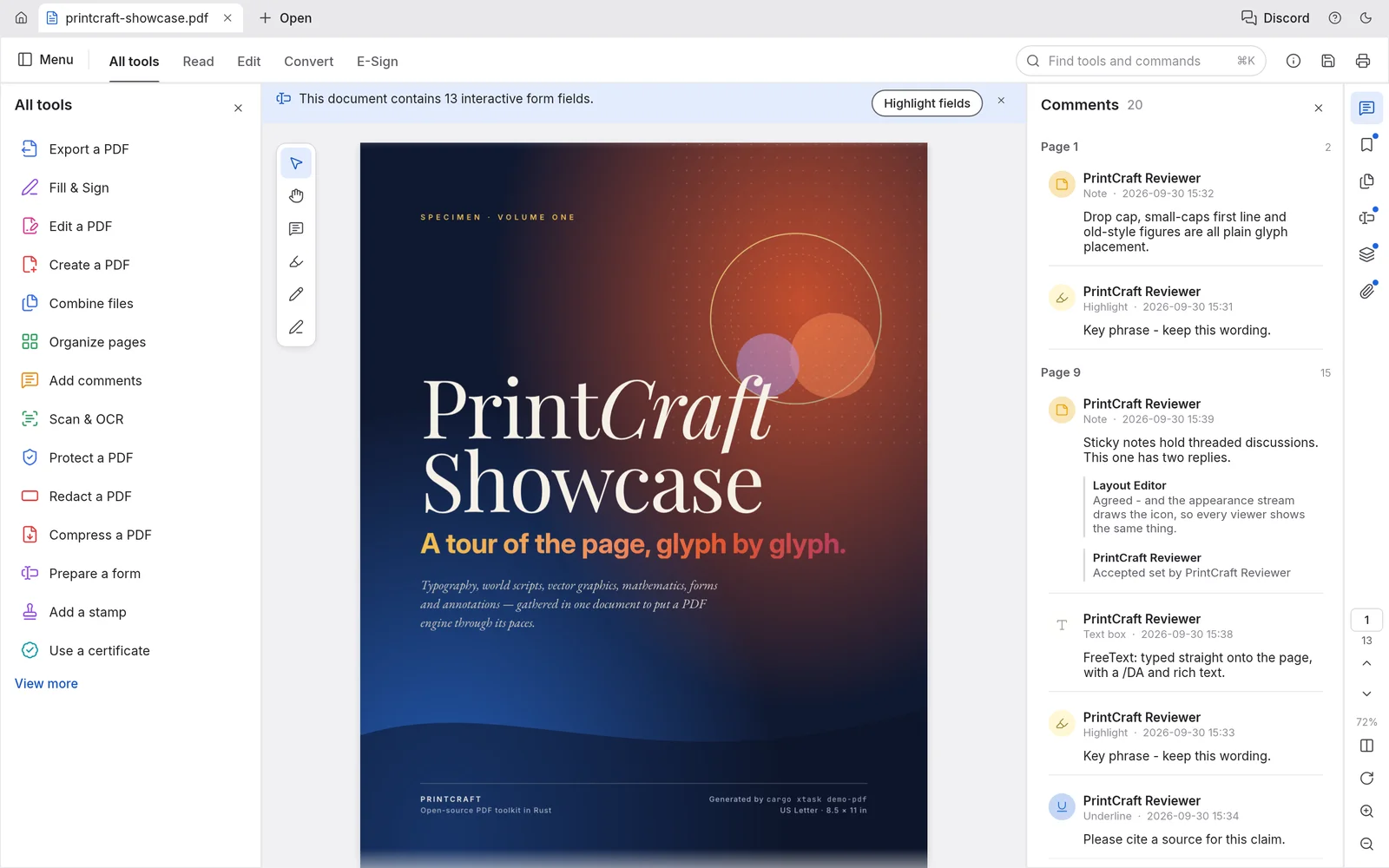
Open PDFs, zoom in on details and find the text you need. Keep long documents easy to navigate.
Rotate, reorder and remove pages. Undo changes while you work, then save a new copy.
Bring separate documents together in one PDF using the workbench’s Combine files tool.
Keep the pages you need. Split a document or extract selected pages into a separate PDF.
PRIVATE BY DESIGN
Your PDF is opened and processed locally in your browser. This site has no PDF upload service, account system or cloud document library. Normal website asset requests and hosting access logs may still occur.
Read the privacy note →No account, download or payment required. The engine loads once in your browser.
Use Open PDF or the app’s file menu. Your local document is not uploaded to us.
Use the official tools and save or download your result. Check important documents before closing.
Yes. This independent hosted workbench is free to use, without signup or a subscription. It runs the ArtCraft open-source PdfCraft WebAssembly app.
Read PDFs, search text, organize pages, combine files and split or extract pages. Tools are inside one workbench, not separate upload services. Some advanced features are still in development.
Not by this site’s local file workflow. PDFs are read and processed in your browser, and saves become local downloads. The site still downloads its program files and may have normal hosting access logs.
No. PdfCraft is a fast-moving early project. Existing text editing, OCR, Office conversion and advanced signatures have upstream limitations. Keep the original and check your output.
You can open the website on a modern phone browser. The official workbench is desktop-oriented, so a larger screen is recommended for detailed page work. A working WebGL browser is required.
No. This is an independent free hosting of the official open-source PdfCraft app. It is not affiliated with, sponsored by or endorsed by ArtCraft or Adobe.
Open a PDF. Make it yours. Save it back to your device.